Email component
Customize the layout and content of a notification email.
 View as Markdown
Email themes are available on the Growth plan and higher.
The Email component renders a notification email message. It's the single built-in component available in every email theme.
You can use HTML and CSS to customize the built-in Email component. The markup and styling are rendered directly into the body of the notification email. In addition, you can also create your own custom components for your notification emails, which you can use from inside the Email component.
You can edit an email theme from the Themes page of your TalkJS dashboard, in the section Email themes.
The Email component receives the following props:
| Name | Type | Description |
|---|---|---|
| messages | Message | The messages that the user is notified about |
| app | App | App metadata configured in your TalkJS dashboard |
| sender | User | Sender of the message that triggered this notification |
| recipient | User | The recipient of the notification |
| conversation | Conversation | The conversation that the messages were sent in |
Contains metadata for your TalkJS app.
App custom fields support localization by adding a : colon and locale suffix on the field name, for example newMessagesText:fr for French, or newMessagesText:zh-TW for Chinese as used in Taiwan. See Localize notification content for the full syntax and resolution order.
Represents a user.
Represents a conversation.
Represents a message in a conversation.
Represents a file attached to a message.
TalkJS converts all CSS classes to inline styles using a library called juice. This means that you can freely use classes, and the result usually works, even inside quirky email clients.
You can customize the headers of an email notification from the Headers tab of your email theme editor.
You can use the following macros in the email notification header:
app.nameapp.idapp.localeapp.custom.<CUSTOM_FIELD>sender.idsender.namesender.custom.<CUSTOM_FIELD>recipient.idrecipient.namerecipient.custom.<CUSTOM_FIELD>conversation.idconversation.subjectconversation.topicIdconversation.custom.<CUSTOM_FIELD>
Replace <CUSTOM_FIELD> with the name of the custom field that you would like to use.
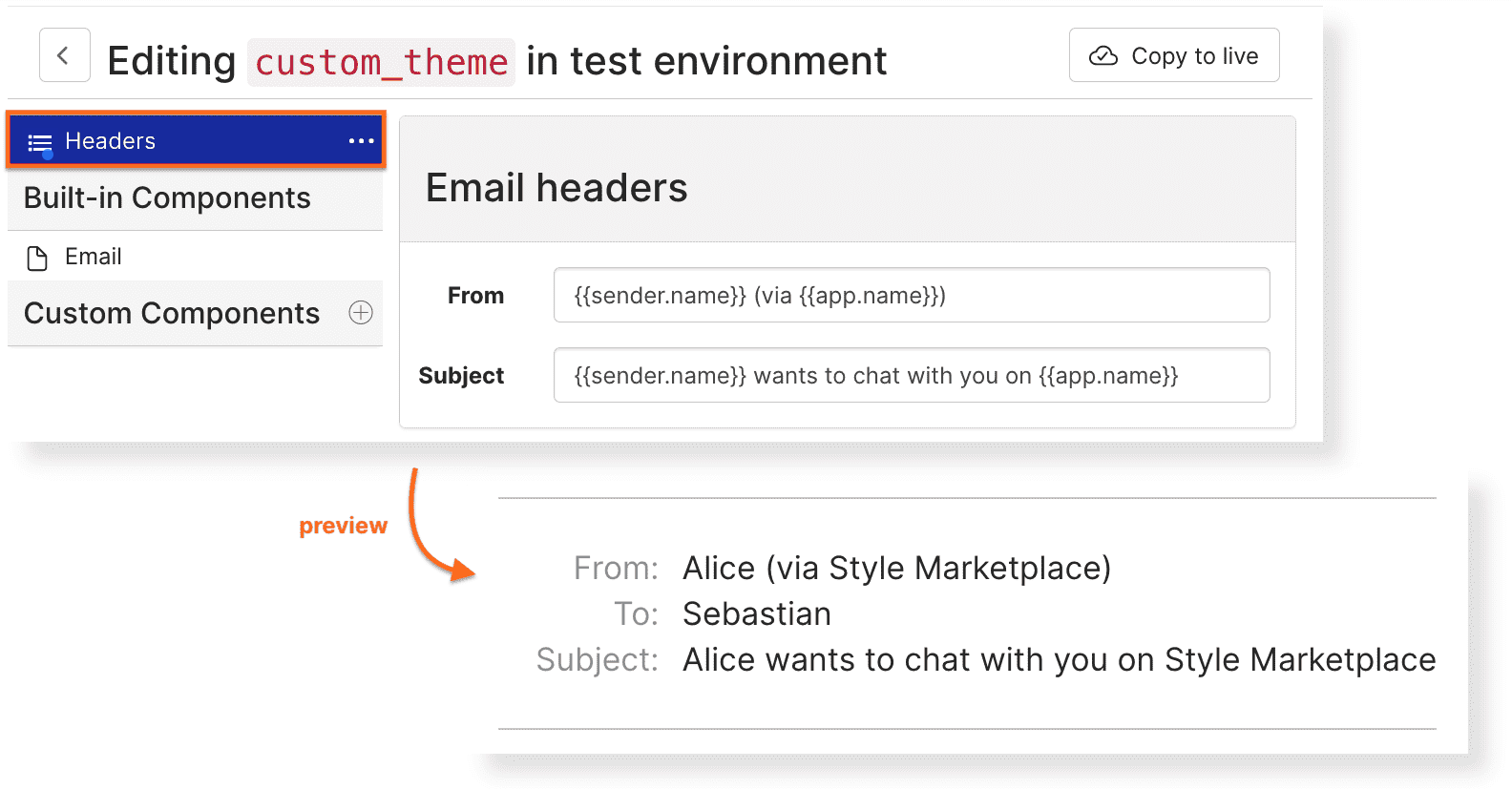
Example email headings set in the dashboard