Email themes
 View as Markdown
Email themes are available on the Growth plan and higher.
An email theme renders a notification email message. You can edit an email theme from the Themes page of your TalkJS dashboard, in the section Email themes.
Each email theme has a single built-in component, Email. You can use HTML and CSS to customize the built-in Email component. The markup and styling are rendered directly into the body of the notification email.
In addition, you can also create your own custom components for your notification emails, which you can use from inside the Email component.
The Email component receives the following props:
| Name | Type | Description |
|---|---|---|
| messages | Message | The messages that the user is notified about |
| app | App | App metadata configured in your TalkJS dashboard |
| sender | User | Sender of the message that triggered this notification |
| recipient | User | The recipient of the notification |
| conversation | Conversation | The conversation that the messages were sent in |
Represents a user.
Represents a conversation.
Represents a message in a conversation.
Represents a file attached to a message.
TalkJS converts all CSS classes to inline styles using a library called juice. This means that you can freely use classes, and the result usually works, even inside quirky email clients.
You can customize the headers of an email notification from the Headers tab of your email theme editor.
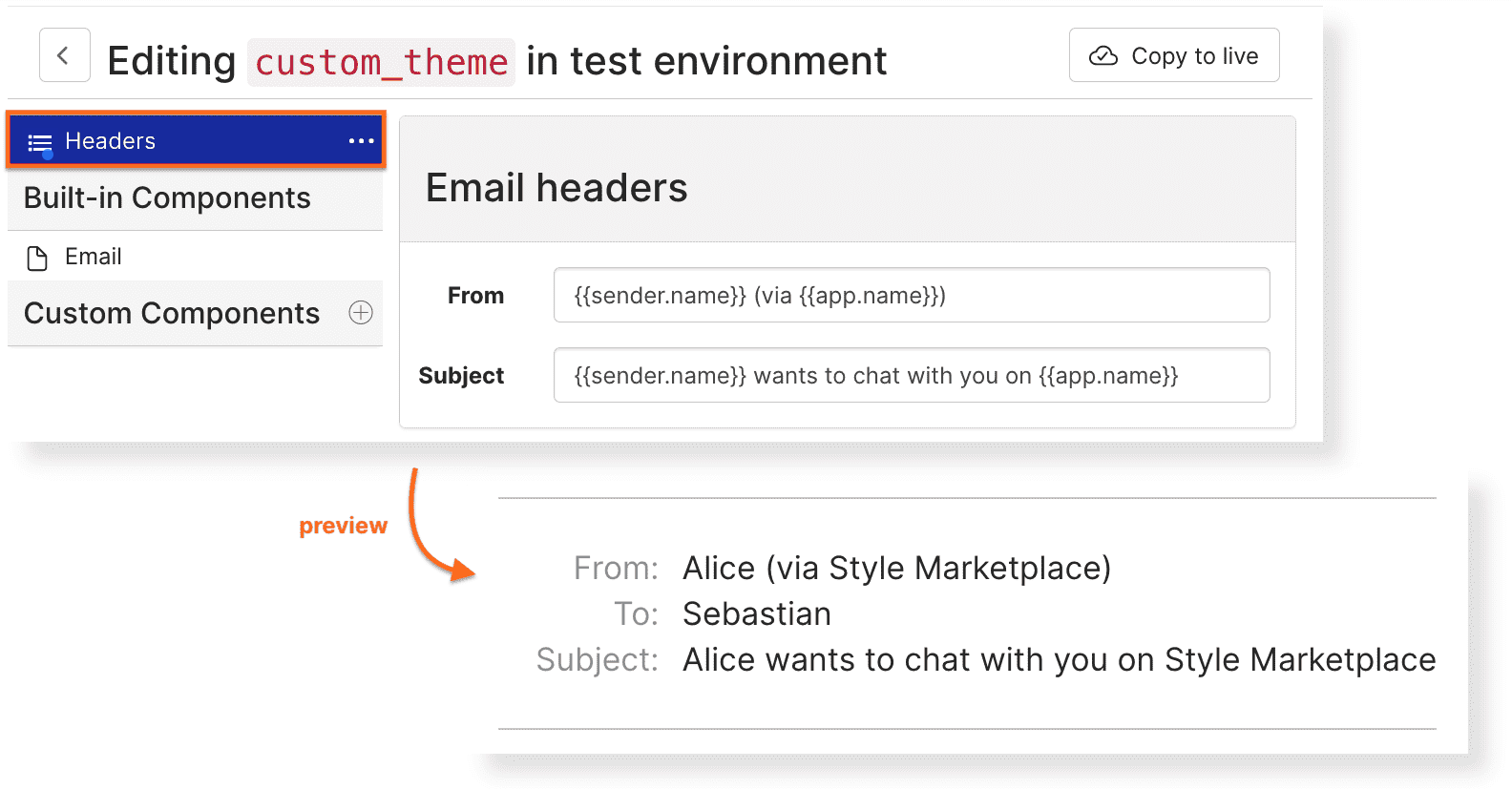
You can use the following macros in the email notification header.
app.nameapp.idapp.localeapp.custom.<CUSTOM_FIELD>sender.idsender.namesender.custom.<CUSTOM_FIELD>recipient.idrecipient.namerecipient.custom.<CUSTOM_FIELD>conversation.idconversation.subjectconversation.topicIdconversation.custom.<CUSTOM_FIELD>
Replace <CUSTOM_FIELD> with the name of the custom field that you would like to use. For details about app.* macros, see App metadata and translations below.
The app prop contains metadata for your TalkJS app:
You can use app.name, app.locale, and app.custom.<CUSTOM_FIELD> in both email themes and in the email notification header macros. Custom fields come from the app metadata custom fields configured in your TalkJS dashboard.
To localize an app custom field, add custom fields with locale suffixes:
You can then use the unlocalized field name in your theme:
When TalkJS renders an email for a recipient, it first tries the user's locale. For regional locales, TalkJS tries the full locale and then the language code, so zh-TW first tries newMessagesText:zh-TW and then newMessagesText:zh. If no matching user-locale value exists, TalkJS falls back to your app's default locale, and finally the unlocalized custom field such as newMessagesText.