


If your app has a dark mode, a bright white chat window stands out the moment a user switches to it. Until now, matching your app's dark mode meant overriding colors in your own CSS.
TalkJS Components SDK 0.3.9 adds a dark mode to the default theme. Set the colorScheme prop to "dark" on the chatbox, conversation list, or inbox, and TalkJS switches backgrounds, text, borders, tooltips, and the emoji picker to dark colors. Dark mode is available in @talkjs/react-components and @talkjs/web-components.
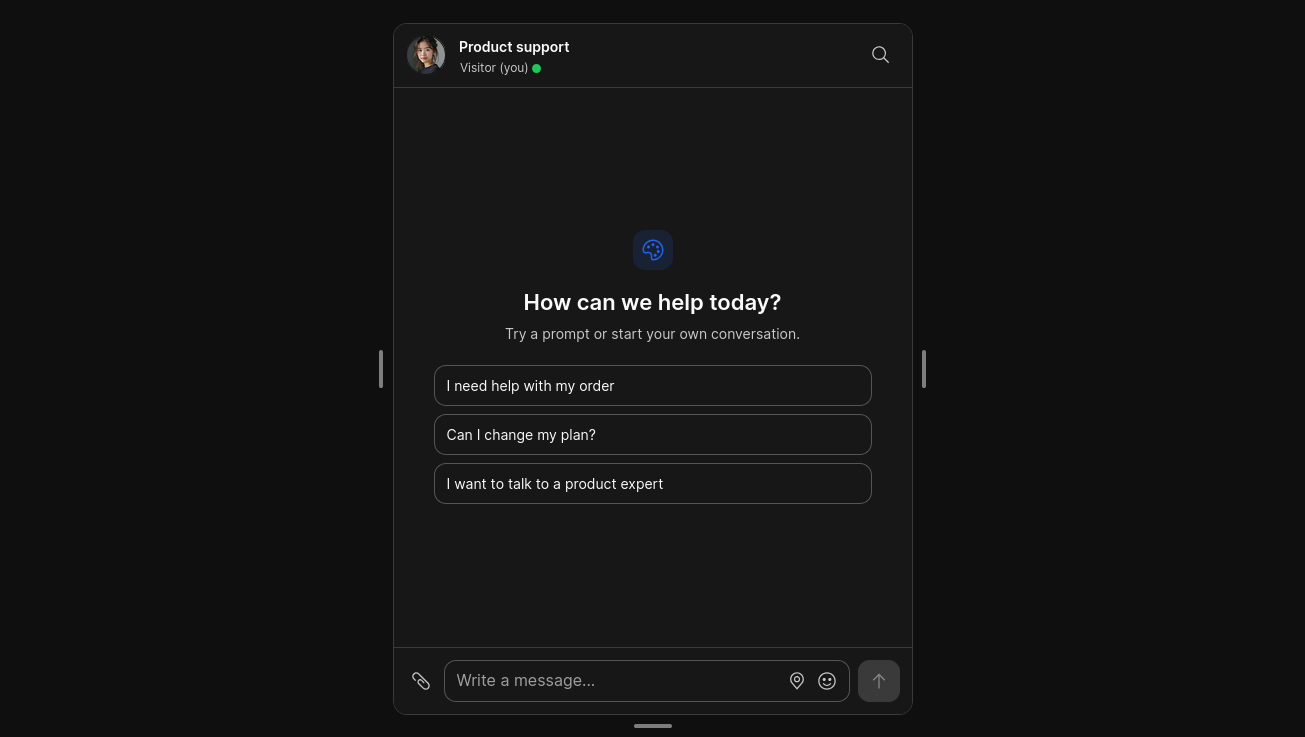
How to turn on dark mode in TalkJS
In React, pass colorScheme="dark" to the component:
import { Chatbox } from '@talkjs/react-components';
import '@talkjs/react-components/default.css';

<Chatbox
  appId="<APP_ID>"
  userId="alice"
  conversationId="support-alice"
  colorScheme="dark"
/>
With web components, set the color-scheme attribute instead: <t-chatbox color-scheme="dark" ...>. The colorScheme prop accepts "light" or "dark" and defaults to "light". The <Inbox> passes the value on to its conversation list and chatbox, so you only set it once.
TalkJS doesn't follow the user's operating system color mode settings on its own. To match the operating system, read it in your app (for example with window.matchMedia("(prefers-color-scheme: dark)")) and pass the result to colorScheme.
Customize the dark mode colors
The dark colors are CSS variables in the default theme's variables.css file, such as --t-color-bg and --t-color-text. If you want different dark colors, override those variables. The customization guide shows how to change theme styles.
Dark mode FAQ
Does dark mode work with the classic theme?
No. Dark mode works with the Components SDK's default theme only. If you use baseTheme="classic", the chat stays light whatever you set colorScheme to.
Can I use dark mode with the Classic JavaScript SDK, React Native, or Flutter?
Not with colorScheme, which is part of the Components SDK only. Those SDKs use dashboard themes instead: select the preset default_dark theme on the Chat UI page of the TalkJS dashboard, or pass its name in the theme option. See Themes for details.
Get started with dark mode
Upgrade @talkjs/react-components or @talkjs/web-components to version 0.3.9 or later, then add colorScheme to your React <Chatbox> or <t-chatbox>.


