


Adding chat to your app with a chat API usually starts outside your code: sign up, create a project, then copy an app ID and a secret key from a dashboard. If a coding agent is writing the integration, it often hands those steps back to you.
The TalkJS CLI (@talkjs/cli) lets you or your coding agent set up TalkJS from the command line. Create a test project without signing up, change its settings, and manage its secret keys. When you want to keep the project, claim it to add it to your TalkJS account.
Set up TalkJS chat with a coding agent
Open your project in a coding agent such as Cursor, Claude Code, or Codex, and paste this prompt:
Add TalkJS chat to my app: talkjs.com/SKILL.md
In the same prompt, say who should talk to whom and where in your app the chat should go. For example, ask for a chat between buyers and sellers on your listing page.
SKILL.md is the TalkJS agent guide, and it tells the agent to use the TalkJS CLI. The agent checks your app's framework and users, creates a test project if you don't have one, and adds the right SDK. It then sends a message, replies as a second user, and reloads the chat to check that the messages persist. When the chat works, it asks whether to add TalkJS authentication to your backend.
To keep the guide installed in your agents, run npx skills add talkjs/skills from the TalkJS skills repository. The coding agents page shows what a full run looks like.
Use the TalkJS CLI from your terminal
You can also use the TalkJS CLI yourself, without an agent. First, install the CLI, which requires Node.js 22.18 or newer:
npm install --global @talkjs/cli
talkjs --help
This sequence creates a project, names it Marketplace App, sets its default chat language to en-US, creates a secret key for your backend, and then adds the project to your account:
talkjs anonymous-account create
talkjs settings set name "Marketplace App"
talkjs settings set defaultLocale en-US
talkjs secret-keys create
talkjs anonymous-account claim
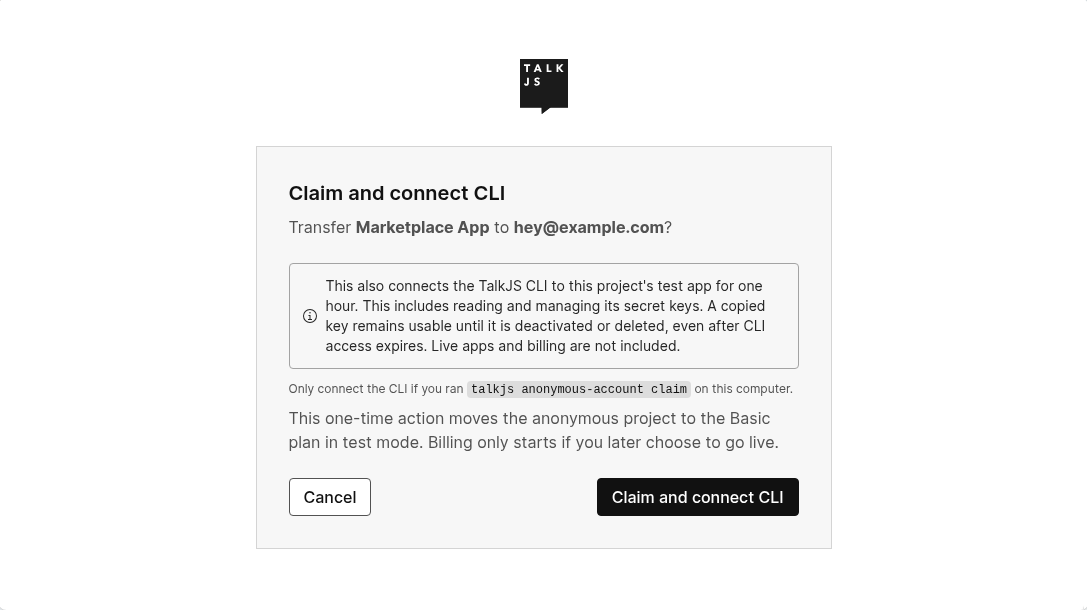
The claim command opens your browser, where you sign in or sign up and confirm Claim and connect CLI. The project moves to your account on the Basic plan, still in test mode, and the CLI stays connected. If you already have a project, talkjs login connects the CLI to its test app instead.
What you can do with the TalkJS CLI
- Start without an account.
talkjs anonymous-account creategives you a test project and its app ID before you sign up. - Change app settings.
talkjs settingsreads and updates the name, default locale, authentication requirement, and custom fields. - Manage secret keys.
talkjs secret-keyscreates, retrieves, deactivates, and deletes keys, and selects the key for webhooks. - Script your setup. Add
--jsonto any command to get one JSON object per line of output, withstatusandvaluefields. Errors exit with status 1.
The CLI reference lists every command and option.
TalkJS CLI FAQ
Can I use the TalkJS CLI on a live app?
No. The TalkJS CLI works with test apps only. Configure live apps in the TalkJS dashboard.
What are the limits before I claim a project?
Anonymous projects are for testing. File uploads are limited to 1 MB, and features with external side effects, such as email notifications and webhooks, are off.
Does the TalkJS CLI add chat to my app?
No. The CLI sets up the project. The chat itself comes from a TalkJS SDK, which you or your agent add to your code.
Get started with the TalkJS CLI
The TalkJS CLI requires Node.js 22.18 or newer. Install version 0.0.1 or later with npm install --global @talkjs/cli, or run it with npx @talkjs/cli. Read the full guide on the @talkjs/cli npm page.


