Mentions
 View as Markdown
Mentions are a way for a user to notify a specific user in a conversation.
You control whether users can mentioned one another in your chat. You can find the Allow mentions checkbox to enable or turn off mentions on the Chat UI page of your TalkJS dashboard.
Once you have mentions enabled, a user can mention another user by typing an @-sign in the message field, selecting the user's name from a pop-up menu, and sending their message that mentions the user, as shown in the following sequence:
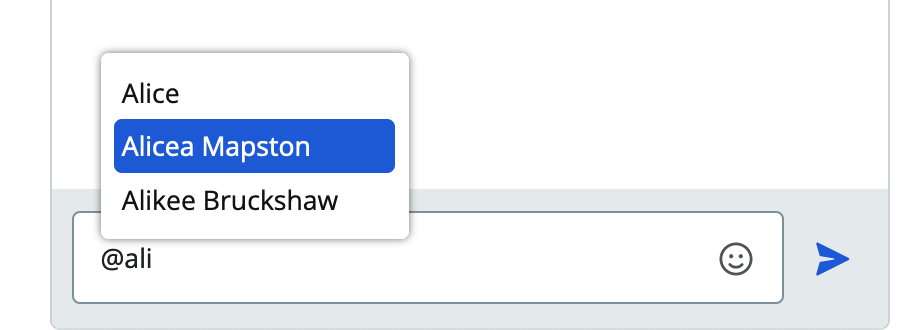
Autocomplete pop-up from which a user can select a user to mention
User mentions also show up inside messages, with an @ symbol prefixed to the user's name.
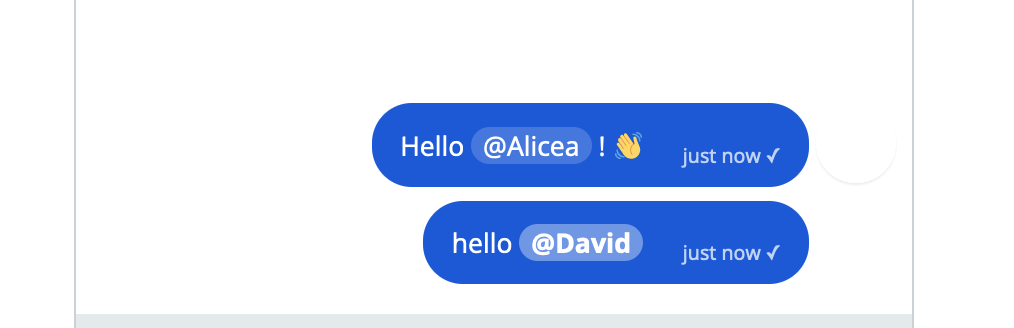
Messages in which users are mentioned
You can give mentioning a user a try, by typing @ into the chat:
If you would like to allow mentions only for one group of users but not others, create a separate role for each user group and adjust the mention settings per role.
If you have mentions enabled, you can set up notifications such that users only receive a notification when someone mentions them. For more information on notifying a user only when someone mentions them, see the notification options in Participant settings.