Typing indicator
Show users when someone is typing a message.
 View as Markdown
Typing indicators show when one or more participants are composing a message. They help conversations feel more natural by letting users know that a reply is on the way.
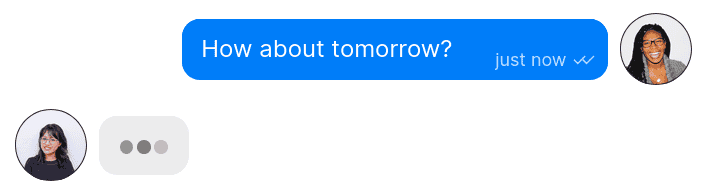
An animated three-dot ellipsis indicates that a participant is typing
By default, TalkJS displays an animated three-dot ellipsis next to the avatar of a participant who is currently typing. When multiple participants are typing, their avatars are grouped together, with a count shown if not all participants can be displayed.
Typing status is updated automatically in real-time as participants start and stop typing.
Typing indicators are only shown for conversation participants, not guests. They are also never shown for system messages.
You can enable or disable typing indicators for each user role in the Chat UI page of your TalkJS dashboard. Select the role you want to edit, then enable or turn off the Show typing indicators setting in the Features section.
- Components SDKs: Shared types include
typing,showTypingIndicator - React Native, Flutter, and Classic SDKs: TypingIndicator theme component
- JavaScript Data API: TypingSubscription
- Flutter Data API: TypingSubscription
- Kotlin Data API: TypingSubscription