Moderation
Filter content, review messages, and moderate users.
 View as Markdown
Chat moderation can help you keep your chat safe and respectful. TalkJS provides built-in tools to automatically filter chat content, handle inappropriate messages, and moderate at the user level. You can also integrate advanced moderation tools.
Automatically filter messages for moderation purposes. You can add forbidden word lists, custom suppression patterns, specifically suppress personal contact details, or prevent spam messaging.
Block specific words, phrases, or patterns from being sent in your chat. You can use a plain forbidden word list (sometimes called 'blocklist' or 'blacklist') or set more advanced custom suppression patterns using JavaScript regular expressions. See: How to set up content suppression.
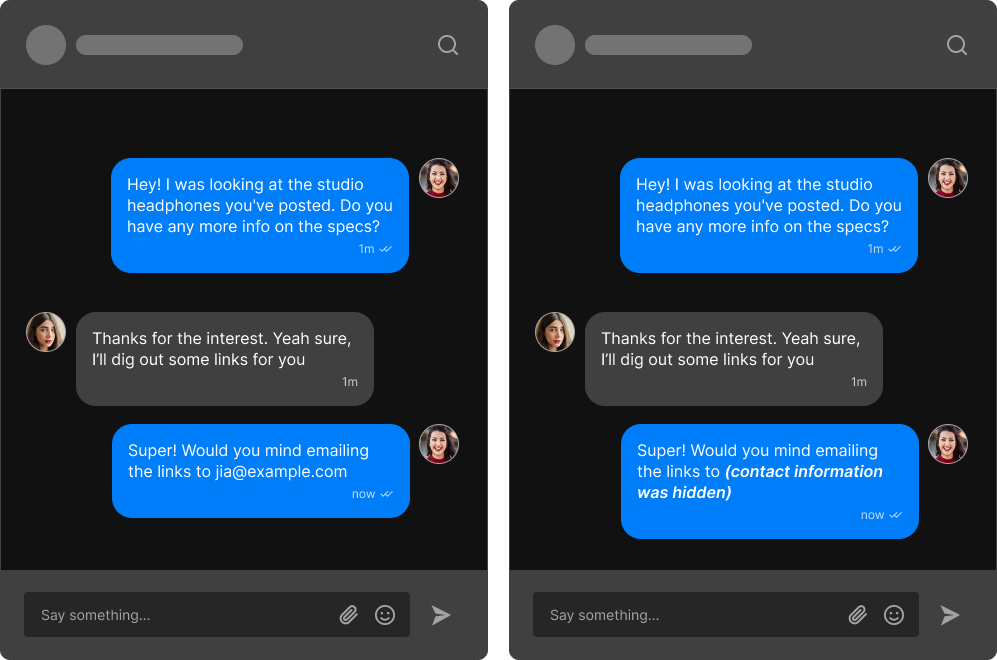
You can prevent contact details from being shared in your chat.
Automatically suppress email addresses, phone numbers, and links to prevent users from sharing contact details or personal data (personally identifiable information, PII). This can halt users from taking communications off your platform.
Suppressed data gets replaced by the text '(hidden information)', localized to the user's language, or any custom text you specify. See: Prevent contact details from being shared.
Reduce spam using built-in anti-spam features, including link blocking, disallowing mentions, and preventing all-caps shouting. See: How to prevent spam messaging.
As part of post-moderation you can review and handle messages after they've been sent. If any messages are inappropriate or contain unwanted content, then you can handle those either automatically or through manual intervention. You can allow users to report messages, send a warning, or remove messages altogether.
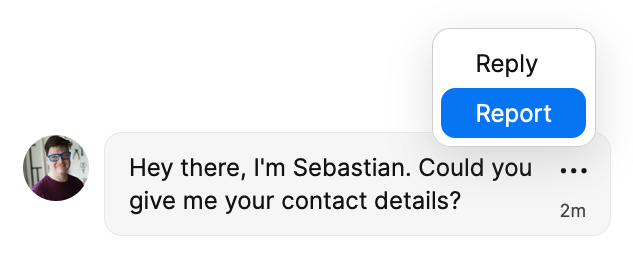
Users can report a message directly from the chat.
Let users report messages that they find problematic directly from the chat, by adding a custom action button that supports reporting messages. See: Create a 'report message' feature in TalkJS.
If a user has posted something that does not fit your platform standards, then you can send them a warning with an automated system message, for example to remind the user of your community guidelines. See: Reply to messages using webhooks.
When inappropriate content does get through into your chat, you can remove it from the conversation entirely, so that your chat stays safe and respectful. You can delete inappropriate messages using the REST API. See: Delete a message.
In addition to content moderation, you can also make moderation interventions for your chat at the user level. This includes requiring authentication, using roles for moderation purposes, and banning users from your platform altogether.
Verifying user identity can help you prevent inappropriate interactions on your platform, such as impersonation or fraud. TalkJS authentication uses digital signatures to prove that the current user identified to TalkJS is the same user who's logged-in on your platform. See: Authentication.
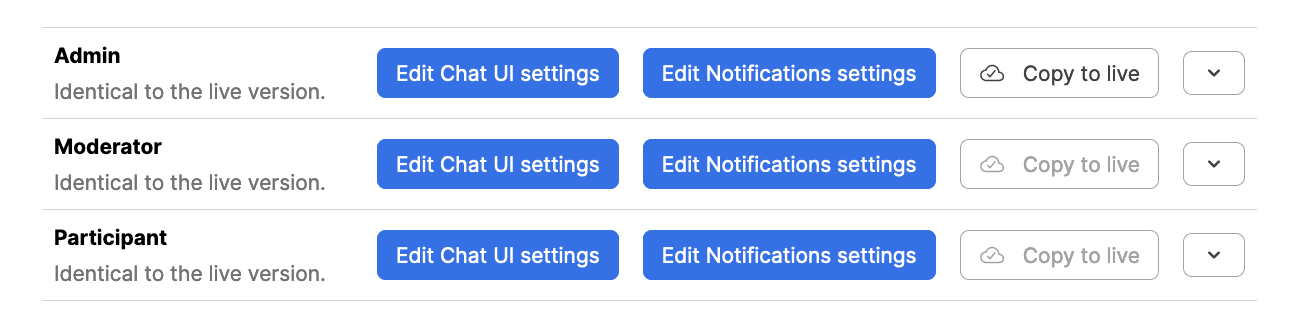
Example roles on the TalkJS dashboard: Admin, Moderator, and Participant.
You can create and assign users different roles with fine-grained permissions for each role. For example, you could give users with a moderator role permission to remove messages, while only allowing users with a visitor role to read and react to messages.
As part of moderation actions, if a user has violated your community guidelines, you could for example temporarily assign them to a different role with read-only permissions as a cool-down measure.
For more information about user roles and role-based permissions, see:
You can control what type of access a user has to a conversation. Default access types in TalkJS are:
- Read-write access
- Read-only access
- No access
With fine-grained access permissions, you decide who takes part in which conversation, and in what way. See: Access permissions.
You can ban a user from all conversations on your platform, for example in case they repeatedly violate community guidelines.
TalkJS allows you to ban users by removing their access using the REST API. Once you block a user, they can no longer participate in conversations. See: How to ban users from all chats.
You can integrate additional third-party tools for advanced moderation. For example, you could add AI-driven content analysis for messages, or expand your screening also to cover any images, video, or audio recordings shared in your chat.
For integrating third-party moderation solutions, see: