Location sharing
Allow users to share their location within a conversation.
 View as Markdown
Location sharing lets users send a specific point on the map as a message, for example to share their current location, or the location of a meeting point. You could also use location sharing to give customers updates on the location of their order or delivery.
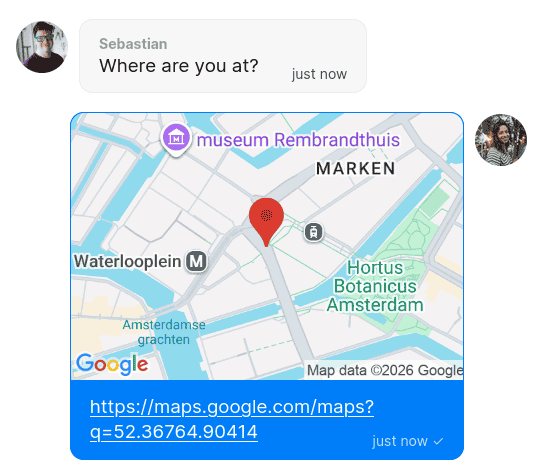
A user shares their current location in the chat
In the TalkJS chat UI, a shared location is rendered as a link to Google Maps, with a thumbnail showing the surrounding area and a pin at the specified coordinate.
Location sharing requires an HTTPS-secured connection, due to browser restrictions on geolocation access. Moreover, the user must give permission for the browser or app to access their location data.
You can enable or disable location sharing for each user role in the Chat UI page of your TalkJS dashboard. Select the role you want to edit, then enable or turn off the Allow location sharing setting in the Features section.
You can also send a message containing a location using the REST API, by including a location content block in the message's content array:
latitude must be a number between -90 and 90, and longitude must be a number between -180 and 180.
Note that you can only include locations for regular user messages, not system messages. In addition, the user for which you programmatically share a location must be a participant in the conversation, not a guest.
- Message content: Locations gives a conceptual overview of location content blocks.
- JavaScript Data API: LocationBlock
- Kotlin Data API: LocationBlock
- Flutter Data API: LocationBlock
- Components SDKs:
<LocationBlock>theme component - React Native, Flutter, and Classic SDKs:
<Thumbnail>subcomponent of<UserMessage>. - REST API: Messages includes details on location data.